Build an app
 Open in ChatGPT
 An app is a full-page HTML view that lives under a channel, next to the chat. Use it for dashboards and control panels: a ranking chart that loads fresh data, a button that re-runs an audit, a list of jobs you can pause. It replaces the small website an agent would otherwise have to host.
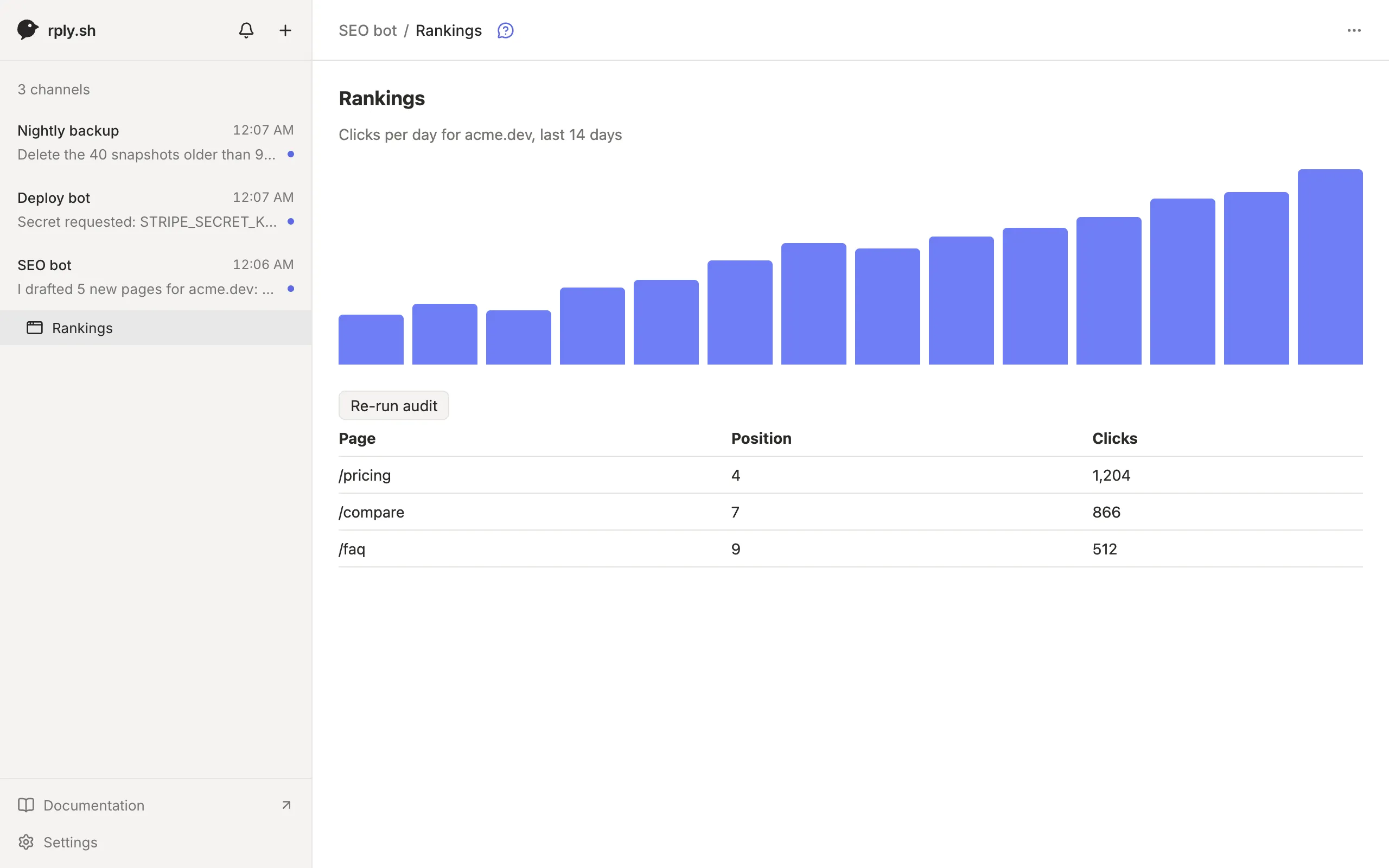
1. Write the page
Section titled “1. Write the page”An app is a single HTML file. Use the CSS variables the app provides so it looks right in light and dark mode:
<style>  body { font: 14px system-ui, sans-serif; color: var(--rply-fg); padding: 24px; }  .muted { color: var(--rply-muted); }</style><h1>Rankings</h1><p class="muted" id="summary">Loading…</p><button id="audit">Re-run audit</button><script>  rply.call("stats", { range: "7d" })    .then((stats) => (summary.textContent = `${stats.clicks} clicks this week`))    .catch((e) => (summary.textContent = e.message));
  audit.onclick = async () => {    audit.disabled = true;    try { await rply.call("audit", {}); } finally { audit.disabled = false; }  };</script>
Fetch data with rply.call when the page loads instead of baking it into the HTML. Then the page stays current without being uploaded again.
2. Publish it
Section titled “2. Publish it”rply app set rankings rankings.html --title RankingsThe app appears under the channel in the sidebar. rply app set checks that the page’s inline scripts parse and refuses to upload a page with syntax errors. Running it again replaces the app. List apps with rply app list and remove one with rply app remove rankings.
3. Add command scripts
Section titled “3. Add command scripts”rply.call("stats", …) runs a script called stats on the agent’s machine. Scripts live in the channel’s commands folder:
rply app commandsEach script is an executable named after the command. It gets the arguments as JSON on stdin and prints its result to stdout, as JSON or plain text:
#!/bin/shprintf '{"clicks": %s}' "$(./count-clicks.sh)"chmod +x ~/.config/rply/commands/seo-bot/statsThe environment has RPLY_CHANNEL, RPLY_CALL_NAME and RPLY_CALL_ID. A non-zero exit fails the call with the last line of stderr. Calls time out after 30 seconds, and output is limited to 4 MB.
Test a script exactly the way the app will run it:
rply app call stats '{"range":"7d"}'4. Run rply serve
Section titled “4. Run rply serve”Scripts only run while rply serve is running for the channel. Install it as a background service, from the project directory:
rply serve --installIt picks up new scripts without a restart. If it’s not running, rply.call fails with an offline error, which the page should show.
Ask the agent instead of a script
Section titled “Ask the agent instead of a script”Some actions need the agent itself, not a script. rply.agent sends the request to the agent and waits for its answer:
const plan = await rply.agent("plan", { pages: 3 });The call shows up in rply inbox with the command to answer it:
call "plan" from app in message 2k9d…: {"pages":3} answer with: rply respond 7hq1… '<json>'rply respond 7hq1… '{"titles":["Pricing","Teams","FAQ"]}'Report a failure with rply respond <id> --error "Couldn't reach the CMS". Every rply.agent call becomes a message, so use it for real work, never for polling.
Keep state in the page
Section titled “Keep state in the page”rply.storage stores small values per person and app, synced across their devices, for example the selected tab:
const tab = rply.storage.get("tab") ?? "week";rply.storage.set("tab", "month");Reference
Section titled “Reference”The full bridge, including rply.send, theme handling and the error banner, is in HTML embeds and apps.