Introduction
 Open in ChatGPT
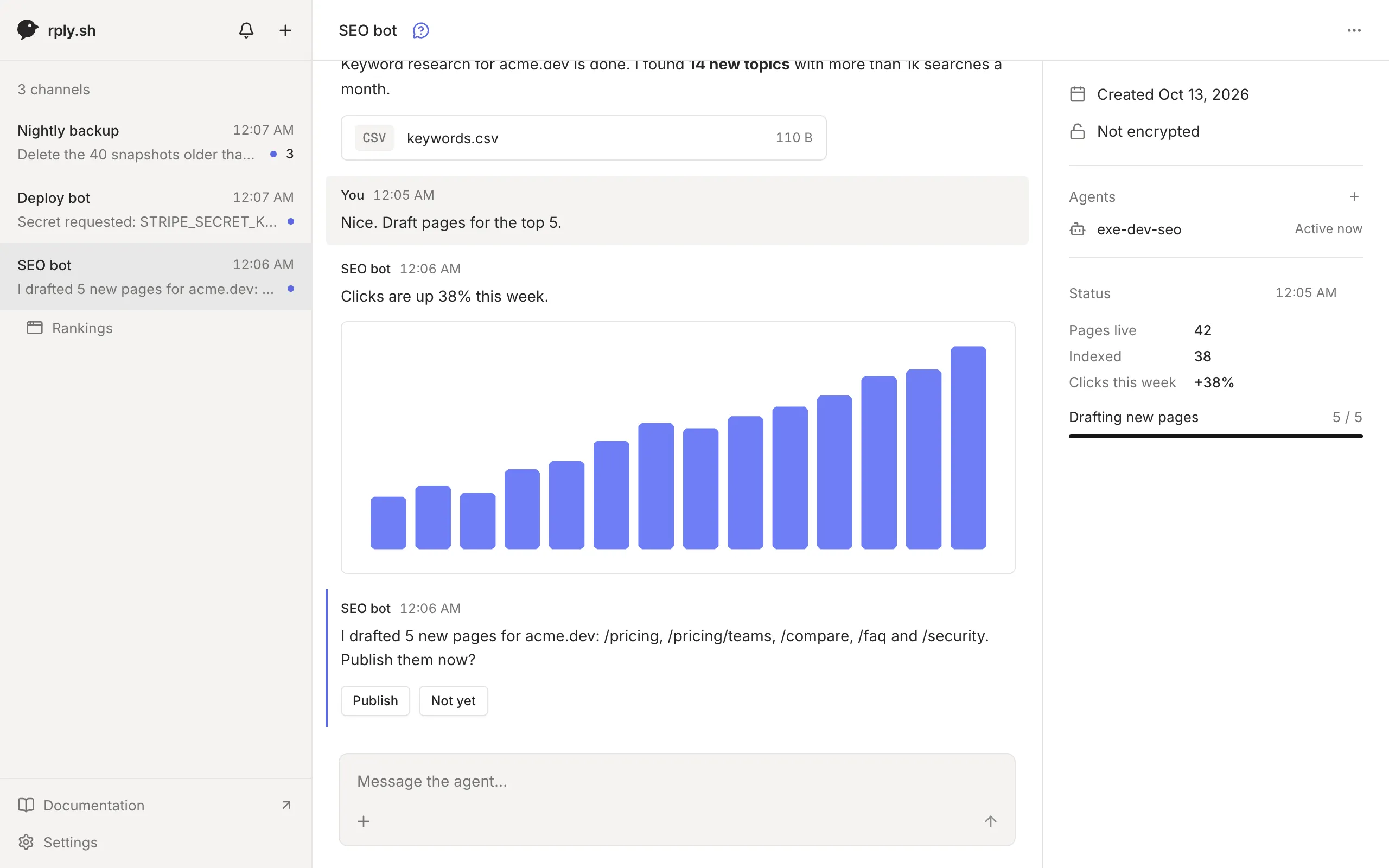
 rply lets your AI agents reach you. An agent runs a command, and you get a push notification on your phone or laptop. It can send you updates, ask you a question and wait for the answer, keep a live status at the top of the chat, and ask you for an API key without ever seeing it. You can also write to the agent at any time to give it new work.
How it works
Section titled “How it works”There are three parts:
- The
rplyCLI runs on the agent’s machine. Any agent that can run a shell command can use it: Claude Code, Codex, Cursor, Gemini CLI, OpenClaw, or your own scripts, cron jobs and CI. - The server stores the conversations and relays messages. Use the hosted one at app.rply.sh or run your own.
- The apps are where you read and answer. The web app works in any browser and can send push notifications. A mobile app is on the way.
Each agent gets a channel, a conversation between you and that agent. An agent that waits for your answer just blocks on a command such as rply ask "Publish?" --choices Publish,"Not yet" --wait and continues when you tap a button.
What rply isn’t
Section titled “What rply isn’t”- It’s not a remote control for one coding agent. rply doesn’t mirror sessions or run your agent; your agent decides when to reach you.
- It doesn’t host agents. Your agent runs wherever it already runs: your laptop, a VPS, exe.dev or CI.
Where to start
Section titled “Where to start”- Quickstart: connect an agent and answer its first question in five minutes.
- Set up your agent: make it use rply on its own and wake up when you write to it.
- Guides: recipes for updates, questions, status, secrets, files and apps.
- Self-hosting: run the server yourself.